Proactive AI

Most AI waits for a prompt and hands back an output. Your Brain takes the next step.

A chatbot answers the question you asked, then leaves the rest of the work to you. An nBrain Brain watches your business, notices what needs to happen next, prepares the work, and moves it forward. A person approves every step that matters.

Book your AI strategy session
Nothing that matters ships without a person You set what it can do on its own Every action logged
Follow-up agent
Ready for your approval
Triggered · sales call with Bayline Supply ended 4:12 PM
  1. Read the 38-minute callTranscript · 3 commitments found
  2. Priced the orderERP · 11 past orders
  3. Checked the accountCRM · renewal in 60 days
  4. Drafted email and quoteClaude Opus 5.5 · private
  5. Waiting for youNothing sends until you approve
ToJordan Ellis, Bayline Supply
SubjectPricing for the Q1 restock, as promised

Hi Jordan, thanks for the time today. Attached is the quote for the 1,200-unit Q1 restock at the volume tier we discussed, with delivery by January 15.

I also confirmed the net-45 terms you asked about. Happy to walk through it Thursday.

Quote Q-2291.pdf$18,420
Call · todayERP · 11 ordersCRM
Your permissionsEvery step loggedNever trains public models
Illustrative · fictional names and data · click Approve to try it
Flip the script

An output is where most AI stops. It's where the work starts.

With a chatbot, you ask, it answers, and you do everything after that. With a Brain, the answer is only one piece. It carries the work to the point where all that's left is your decision.

Reactive AI · you ask, it answers
Proactive Brain · it notices, prepares, you approve
SalesA discovery call ends
You paste the transcript and ask for a summary.You get a summary. Then you write the recap, update the CRM, draft the follow-up, and try to remember the proposal.
The recap, CRM update, follow-up email, and proposal draft are waiting before you're back at your desk.You read, edit a line, and approve. Every promise from the call lands on someone's task list.
FinanceAn invoice comes in
Someone has to think to ask.If no one notices the bank details changed, the payment goes out on schedule.
It checks every invoice against the PO, the vendor record, and past payments.When a check fails, it holds the payment and drafts the question to the supplier for your controller to send.
OperationsA part is going to be late
You find out at the morning meeting, or when the customer calls.Then someone digs through email to work out what happened.
It sees the supplier's new ship date and flags the jobs that are no longer clear to build.The expedite request is drafted, with the customer due date attached.
Account managementA client goes quiet
Nothing happens.A chatbot doesn't know the client exists until you mention them.
It notices a week without a reply on an open proposal and drafts a short nudge in your voice.It also tells you what was last promised, so you're not guessing.
What proactive looks like

A normal week, with the next step already prepared.

No one typed a prompt for any of these. The Brain saw the trigger, gathered what it needed, and put the finished work in front of the right person.

Monday · sales

The call ended. The follow-through didn't.

The Brain prepared
  • A recap built from the transcript
  • CRM stage, contacts, and notes updated
  • Follow-up email in the rep's drafts
  • A proposal started from past wins
YouRead it, change one line, approve.
Tuesday · payables

An invoice failed a verification check.

The Brain prepared
  • Payment held before release
  • The failed checks, with the evidence
  • A question for the supplier, to confirm by the number already on file
Your controllerConfirms with the supplier, releases or rejects.
Wednesday · production

A job isn't clear to build.

The Brain prepared
  • The shortage, flagged against the schedule
  • Which customer orders it puts at risk
  • An expedite request to the supplier
Your plannerApproves the request, reshuffles the build list.
Thursday · contracts

A renewal is 60 days out.

The Brain prepared
  • A renewal brief: usage, issues, open items
  • What was promised last term, and whether it shipped
  • A meeting request on the owner's calendar
The account ownerWalks in prepared, not scrambling.
Friday · follow-up

A client hasn't replied in a week.

The Brain prepared
  • A short nudge in the sender's voice
  • The last thing we promised them
  • A reminder set if there's still no reply
YouApprove and send, or snooze it.
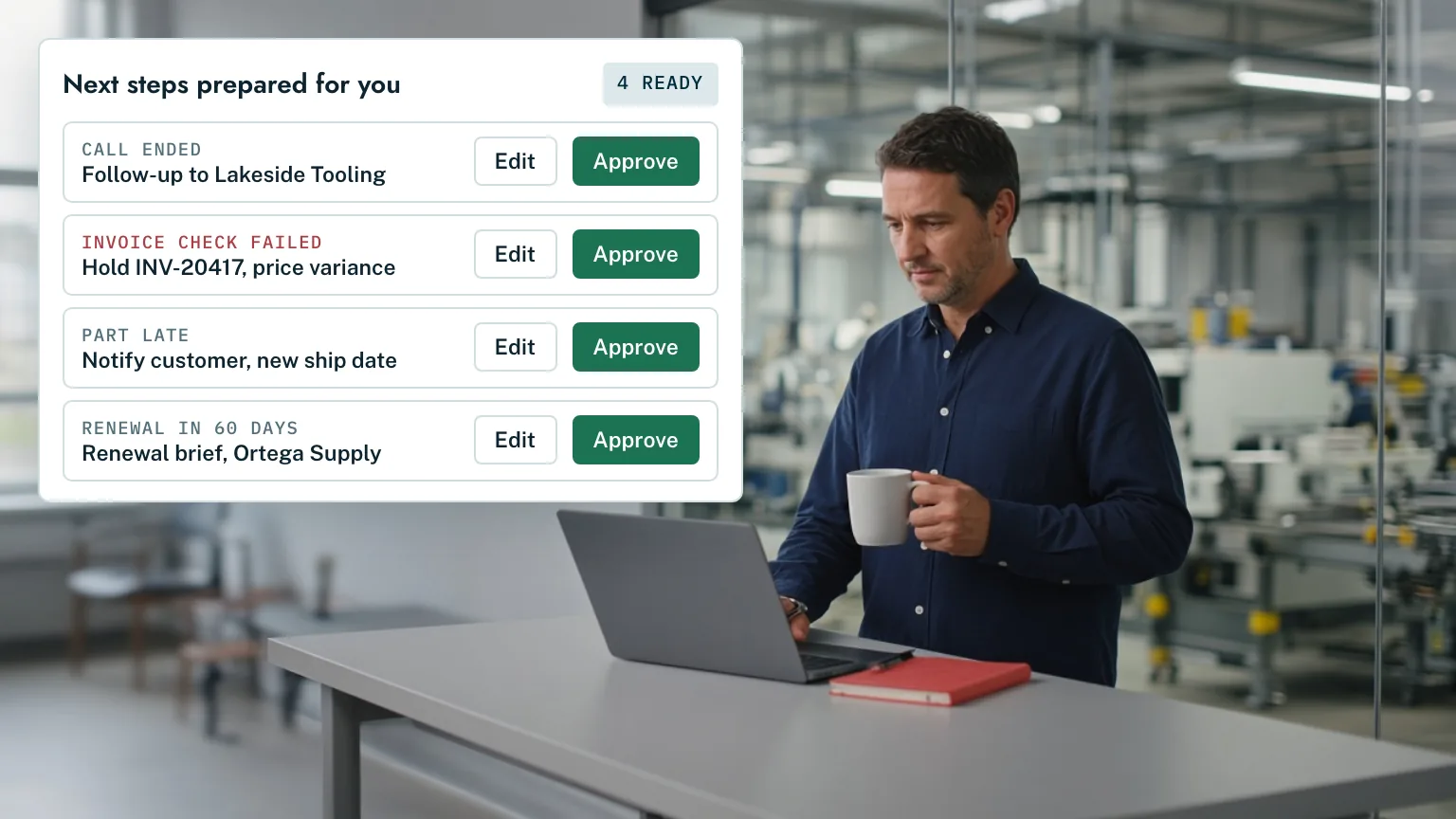
An operations manager with morning coffee at a standing desk, beside an example queue of four prepared next steps, each with Edit and Approve
How we use it at nBrain

Every promise made on a call ends up on someone's list.

Our own Brain reads new call transcripts and client emails through the day, pulls out what each of us committed to, and puts it on the owner's task list with the deadline and the exact words that were said. Recaps, follow-ups, and proposals are drafted from the same record and wait for review. Nothing goes to a client until a person sends it.
How it works

Six steps from "something happened" to "it's handled."

The same loop runs on every workflow. The only step that changes from one to the next is how much a person needs to sign off.

01

Watches for triggers

A call ends, an invoice arrives, a date gets close, a reply doesn't come. It also runs on schedules: every morning, every Friday, 60 days before a renewal.

Example: a supplier emails a new ship date.

02

Gathers the context

It pulls what it needs from the systems you already run: CRM, ERP, email, calendar, documents, call recordings. Only what the person it's working for is allowed to see.

Example: the open orders using that part, and their due dates.

03

Decides the next step

It follows the playbook you set for that workflow, and routes the reasoning to the right model, whether that's GPT-6 Astra, Claude Opus 5.5, Gemini 4 Argon, or a private open-source model.

Example: job 24-118 is no longer clear to build. Expedite.

04

Prepares the work

It drafts the email, fills in the record, builds the brief, or stages the change. It shows its sources, and flags anything it isn't sure about.

Example: an expedite request with the PO and due date attached.

05

A person approves

The finished work lands in the right person's queue. Approve, edit, or reject. Payments, customer messages, and system changes always stop here.

Example: the planner edits the quantity and approves.

06

Executes, logs, and learns

It sends, updates, or schedules in your tools, and records who approved what. Your edits teach it how you want the work done next time.

Example: request sent, schedule updated, edit remembered.

Guardrails

Humans approve. AI executes.

Proactive doesn't mean unsupervised. You decide, workflow by workflow and role by role, how far the Brain can go on its own.

Level 1

Suggest

It points out what needs attention. You decide what to do about it.

For example"Three renewals are inside 60 days."

Level 2

Draft

It prepares the work in full. You send it yourself.

For exampleA follow-up email waiting in your drafts.

Level 3

Act with approval

It stages the action. One click from the right person runs it.

For exampleRelease a payment, publish a page, send a quote.

Level 4

Act and report

For low-risk routine work. It does the job and tells you what it did.

For exampleFile call notes, tag an invoice, update a CRM field.

We start every new workflow at Suggest or Draft, and move it up only when you're comfortable with what it produces. You can turn any workflow back down at any time.

Approval gates

Payments, customer messages, publishing, and system changes wait for a named person. The Brain prepares. A human signs.

Role permissions

It only sees and acts on what the person it's working for is allowed to, using your company sign-in and roles.

A full audit trail

What triggered it, which data it used, which model reasoned, who approved, and what changed. Recorded every time.

Limits you set

Dollar thresholds, recipient lists, quiet hours, and which systems it may write to. Change them without a rebuild.

How nBrain runs on its own Brain. It pulls the call transcripts, emails, and CRM history, drafts the proposal, and leaves it in the drafts folder for review.

Proof

We run nBrain this way.

Sales, proposals, delivery, contracts, and reporting at nBrain run on the same platform we build for clients.

  • Commitments captured, not forgotten. Promises made on calls and in email become tasks with deadlines and the source quote attached.
  • Proposals drafted from the record. Transcripts, emails, and past work go in. A draft comes out for review.
  • A person sends everything. Client emails land in drafts. Nothing leaves without someone choosing to send it.
92%
less sales-team time on RFQs at Regal Technology Partners, a Tier 2 defense manufacturer
5 months
from first idea to a Brain built and launched across a 200-person manufacturer
65%
lower cost per AI task through model routing
33.5%
average increase in employee productivity within six months

Results from Brains running for clients today. Regal Technology Partners has shared its story publicly; other clients are anonymized. Read the customer stories

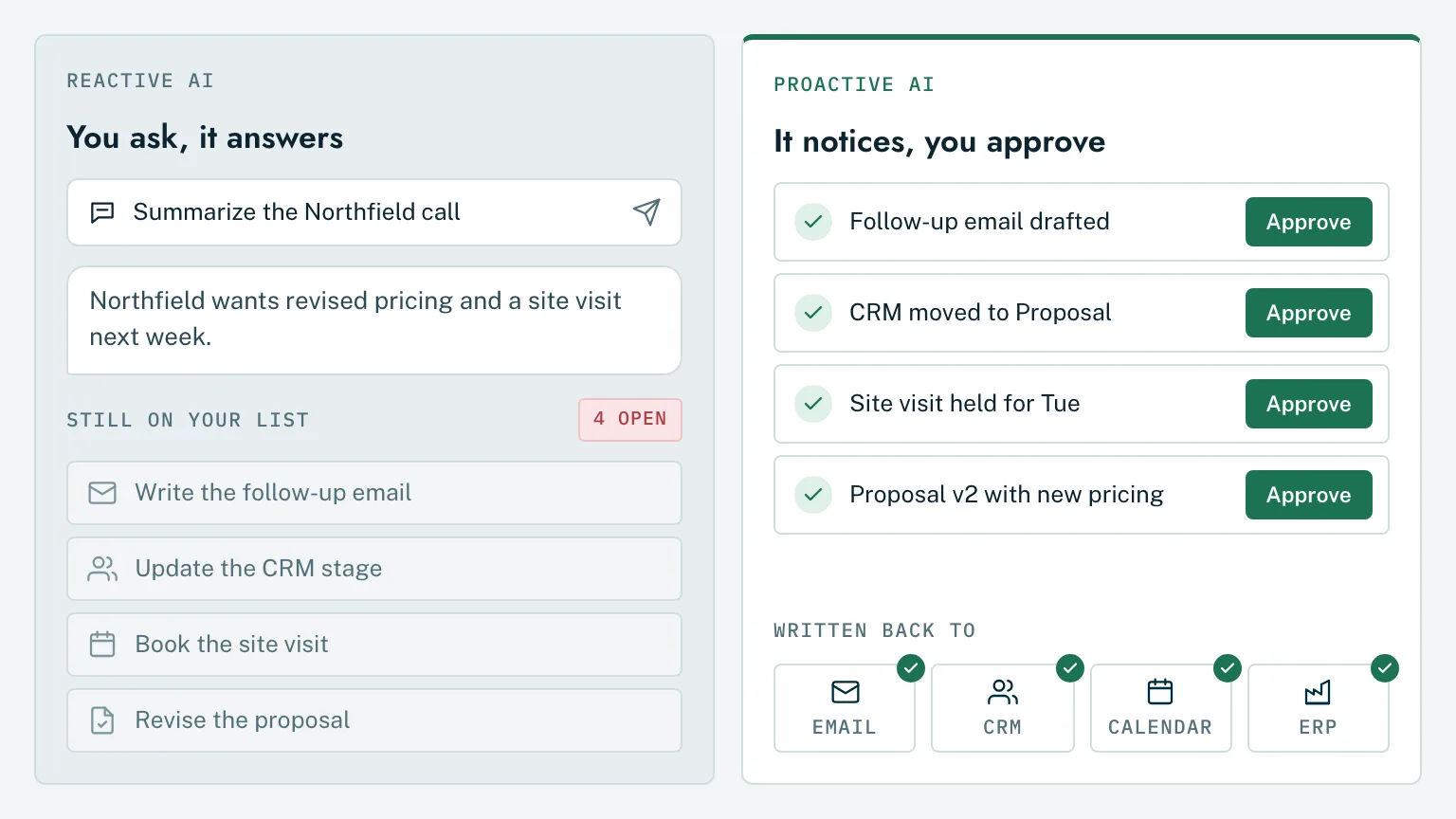
Side-by-side comparison: a chat answer with four tasks still open, versus a queue of finished items with Approve buttons written back to email, CRM, calendar and ERP.
Straight answers

What owners ask about proactive AI.

Will it do things without asking?

Only the things you've told it it may do on its own, and only after you've seen it do them well. Every workflow has a setting: suggest, draft, act with approval, or act and report. Payments, customer messages, publishing, and changes to your systems wait for a named person unless you decide otherwise. Every action is logged either way.

How does it know what the next step is?

We set it up with you. For each workflow we write down the triggers that matter, the systems it should check, and what your best person would do next. The Brain follows that playbook, using your own history (past emails, proposals, records, and decisions) to fill in the details. When the right step isn't clear, it asks instead of guessing.

What if it gets it wrong?

It will sometimes, the same way a new hire does. That's why the work that matters stops for approval, why it shows its sources, and why it flags what it isn't sure about. When you edit or reject something, that correction is kept, so the same mistake is less likely next time. And because every action is logged, you can always see what happened and undo it.

Won't it bury us in notifications?

The goal is fewer things to look at, not more. It bundles what it prepared into one queue per person, ranked by what's urgent, and stays quiet about anything it doesn't need you for. You can set thresholds and quiet hours per workflow.

How is this different from automation tools like Zapier?

Rule-based automation moves data when a fixed condition is met. It can't read a contract, notice that a supplier's tone changed, or write a follow-up that sounds like you. The Brain does the judgment work in between, with your company's context, and still uses those automations where they're the simplest tool for the job.

Where does our data go?

It stays in your cloud tenant or on your own servers. Model calls run through enterprise endpoints that do not train on your data, or through models hosted inside your environment. Your data never trains public models.

See it on your business

Stop asking AI for outputs. Start approving finished work.

In one strategy session we find the workflows where your team spends the most time on follow-through, and map what the Brain would prepare for them.

Prefer email? hello@nbrain.ai